Web · class alerts
Turn a student signal into a clear next step.
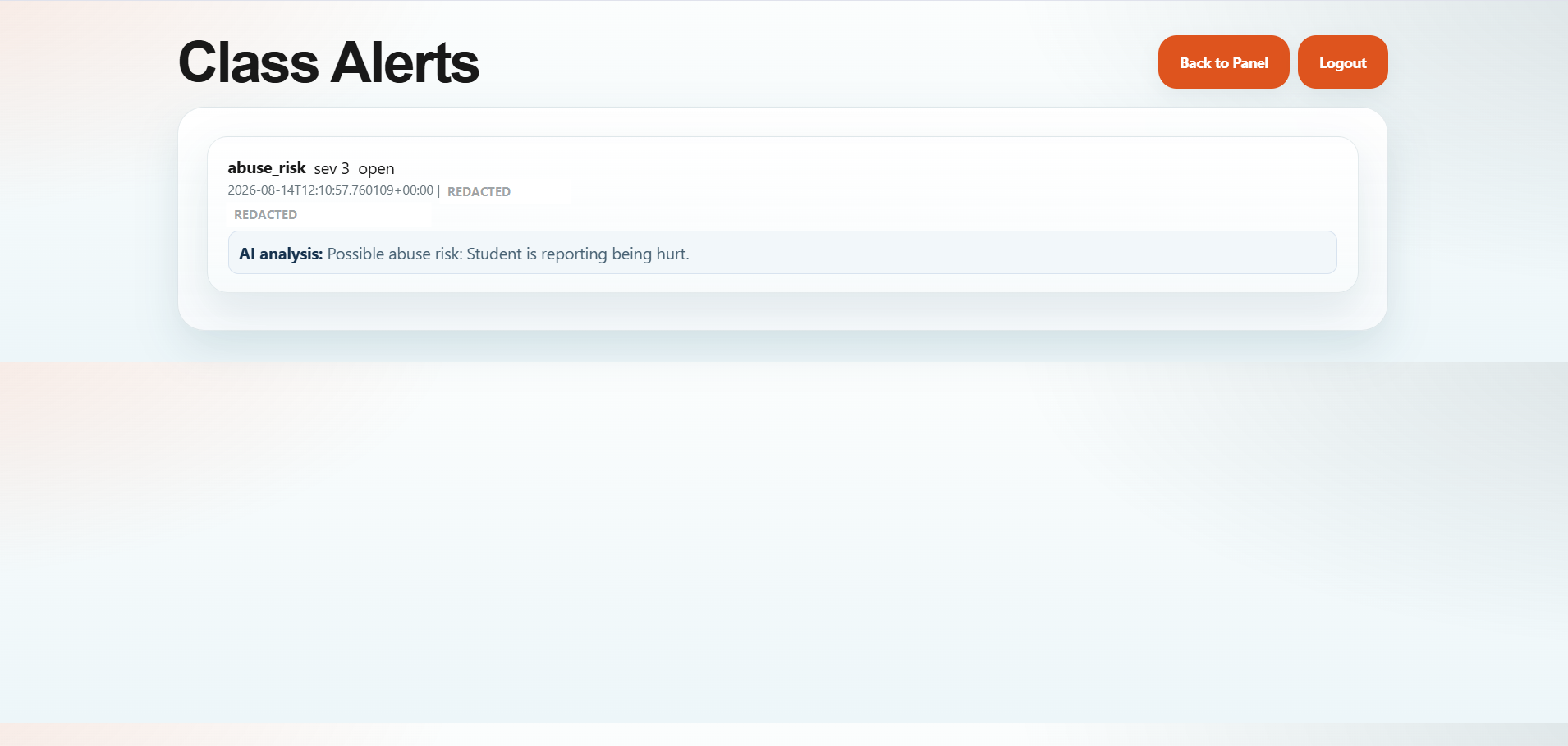
Class Alerts gives school teams a focused place to review safety-related reports and the platform’s AI analysis alongside the original signal.
From academics and daily school operations to communication and student wellbeing, Calma brings the whole school into one connected platform for students, teachers, parents and school teams.
One connected platform across the school experience
These are real Calma captures from the web and mobile products—not concept screens. Each view shows a different part of the connected school experience.
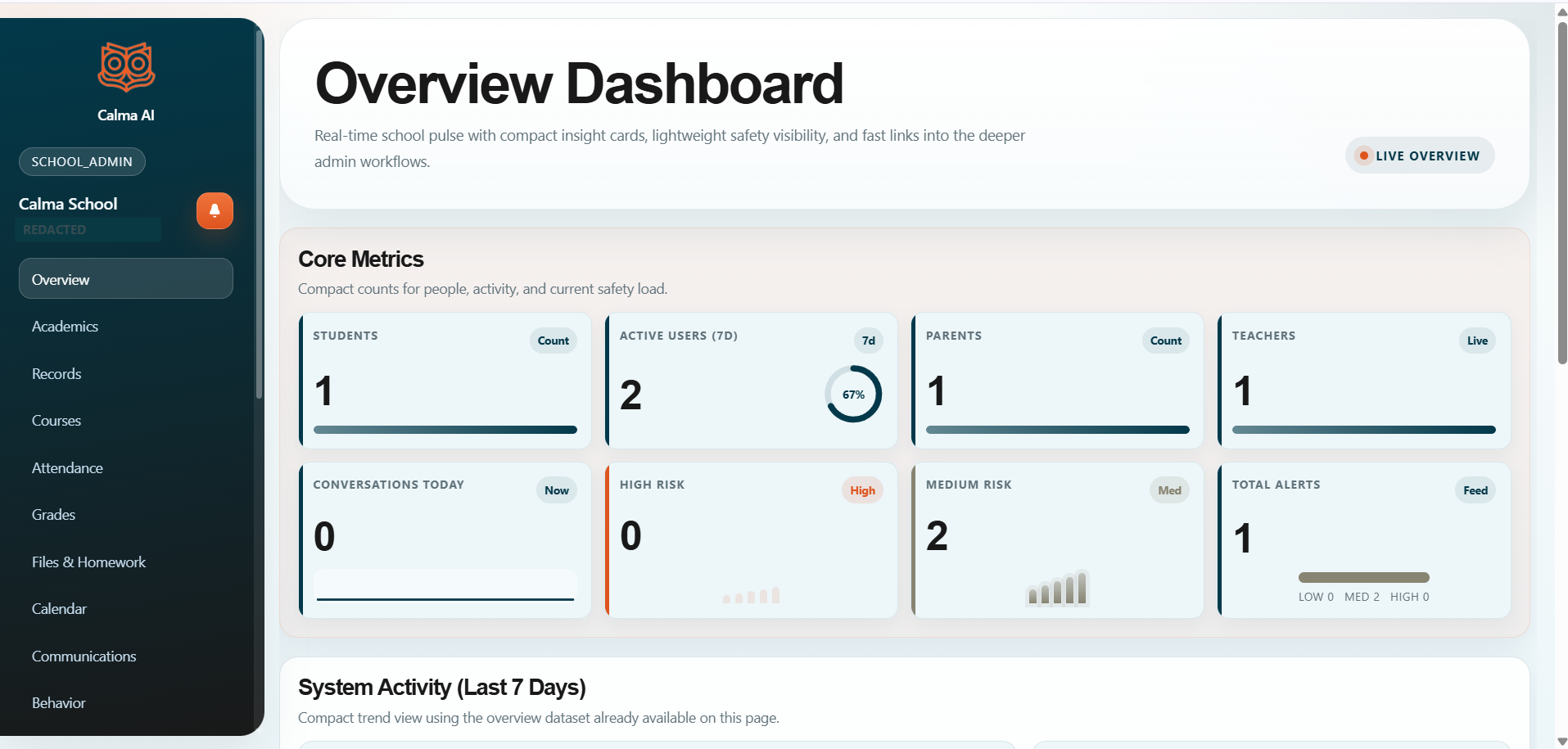
The overview dashboard brings people, activity, and safety visibility into one operational view for school teams.
Open the live platform →
Class Alerts gives school teams a focused place to review safety-related reports and the platform’s AI analysis alongside the original signal.
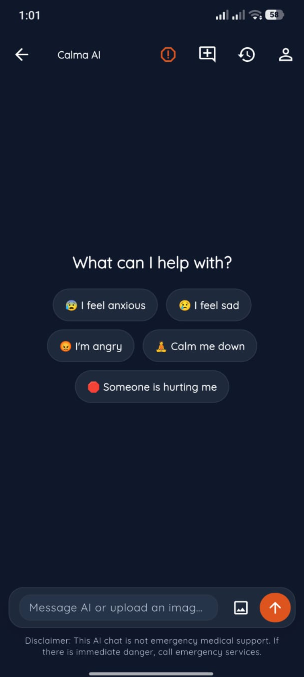
The student-facing mobile experience offers approachable support prompts and a direct conversation entry point, with a clear emergency-support disclaimer.
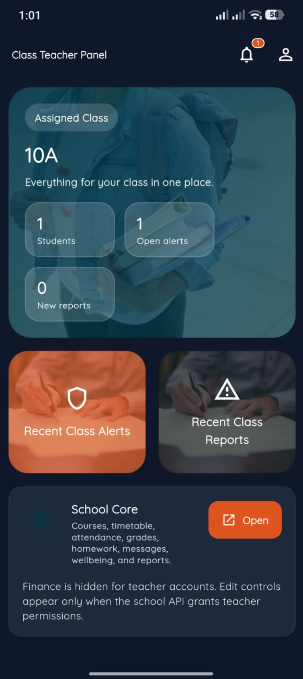
Teachers see their assigned class, students, open alerts, recent reports, and the School Core tools available to their role.
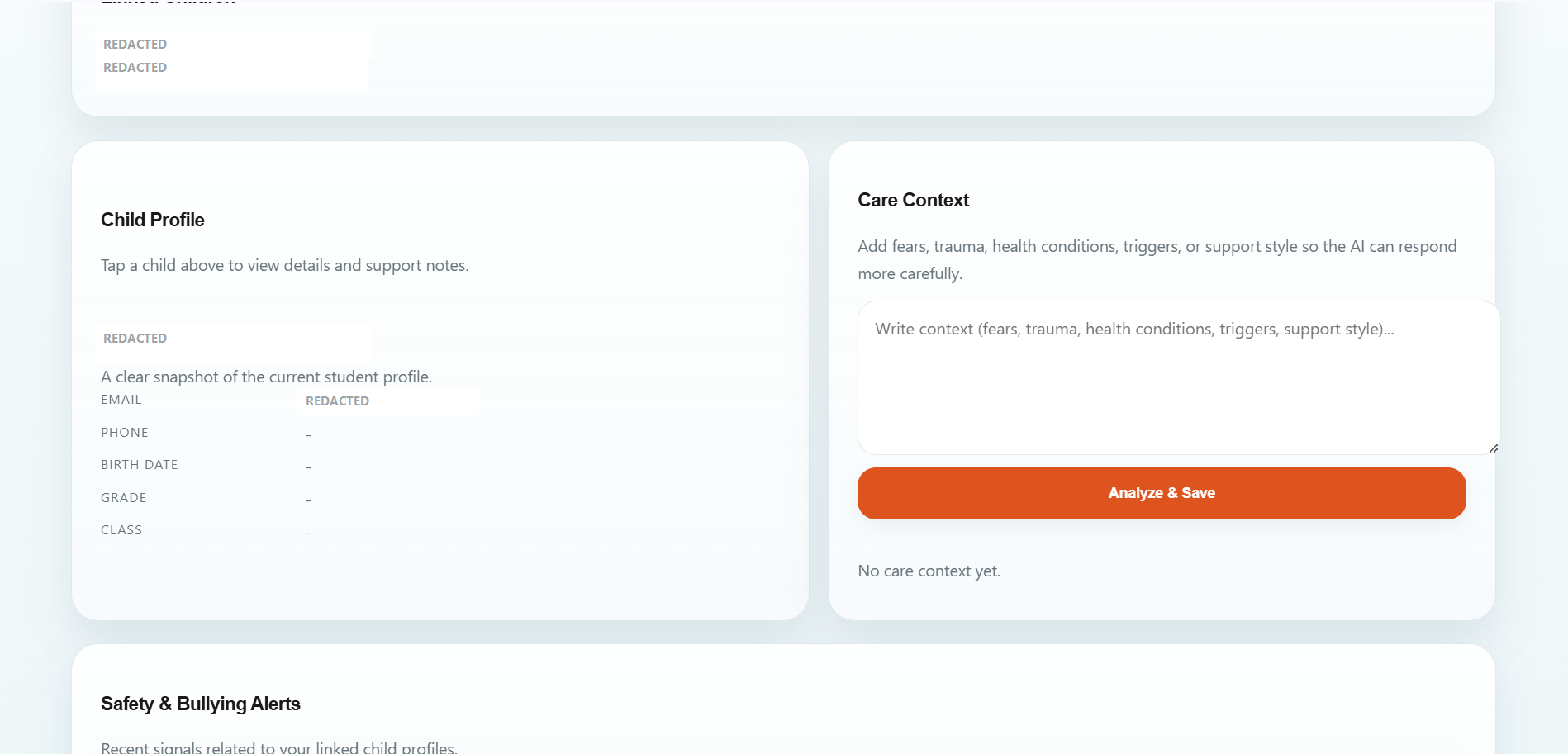
Care Context lets a linked parent add relevant fears, triggers, health conditions, or support style so the AI can respond more carefully.
Authentic interface captures are presented without recreating or restyling the underlying product. Sensitive demo identifiers are redacted in the public copies.
Calma brings role-aware school operations, class support, student wellbeing, and communication into one product across web and mobile.
Students, teachers, classes, academics, attendance, grades, courses, files, homework, calendar, communications, reports, and support workflows can stay close together.
Attendance, grades, courses, files, homework, announcements, records, reports, and other school workflows stay close to the people who use them.
Administrators, counselors, teachers, parents, and students each enter the experience built for their role, without turning every dashboard into the same dashboard.
Student prompts, class alerts, AI analysis, and linked care context help the right people work from a clearer picture.
Calma is a role-aware web and mobile platform for schools, teachers, parents, and students. It keeps practical school workflows close to the wellbeing context that makes them meaningful.
The mobile experience gives students an approachable place to start a conversation while giving teachers and school teams role-specific context on the same platform.
Students can choose a support prompt or begin a conversation from a focused mobile experience.
Relevant signals can move into class alerts, care context, and school workflows without making every role use the same screen.
The experience changes for students, parents, teachers, counselors, and administrators.
The public website is the front door. The real Calma system lives at app.calma-ai.site, where authenticated users access the platform through the web application and connected mobile experiences.
Open Calma →
Users sign in through the live application and enter the experience built for their role.
Students, teachers, parents, and school teams work with the support, class, care, and operations tools available to them.
Relevant signals and school information can be surfaced to the appropriate role across web and mobile.
Calma is presented with clear role boundaries, protected application access, school-scoped data handling, and thoughtful separation between student-facing experiences and staff workflows.
Calma includes school wellbeing workflows. It is not a replacement for professional care or emergency services.
Access is designed around who the user is and what they should be able to see.
The public site links into the authenticated Calma application; private resources are not presented as public landing-page content.
Wellbeing-related signals can be surfaced without turning sensitive student interactions into a public feed.
Information is organized around practical school workflows instead of disconnected feature silos.
Calma AI combines school management with student wellbeing support. The product brings practical admin and teacher workflows together with student-facing support, alerts, and care context for students, teachers, parents, and school teams.
Its public product proof shows real web and mobile surfaces without asking a visitor to create an account first.

Founder & CEO
Beka Tananashvili is the Founder & CEO of Calma AI, a web and mobile platform that combines school management with student wellbeing support. He is focused on building practical technology that helps schools, teachers, students, and families stay connected, manage everyday school workflows, identify wellbeing concerns earlier, and provide more structured support.
For school partnerships, product questions, or a closer look at the platform, reach out to Calma AI. Based in Tbilisi, Georgia.

See the platform in action, then open the live application when you are ready to go deeper.